
What If… Your Maintenance Backlog Is Growing Faster Than Your Team Can Handle?
Part 5 of our “What If...” series on smarter asset maintenance. Read part 4 here.
Your organization’s maintenance backlog is a key indicator of the health of your maintenance strategy, but what if it becomes unmanageable? When your maintenance to-do list grows faster than your team’s capacity, it’s an early warning sign of operational risk. Overdue work orders and overburdened teams often lead to issues including production delays, unexpected failures, and rising costs.
While this backlog is cause for concern, a powerful asset maintenance solution can pinpoint where the strain is coming from and where more resources are needed. In this vital moment, the difference between a robust, well-managed CMMS and a running list of maintenance tasks is never more apparent. When you can identify the cause of your backlog, the workload is easier to manage.
Addressing backlog challenges
When teams are under pressure, the strongest CMMS can surface the root cause including which assets are causing the most issues, which locations have the most disruptions, and what kind of failures are occurring most often. Understanding the factors behind maintenance backlogs can help you make more informed decisions about staffing, scheduling, outsourcing, and preventive maintenance (PM) frequency.
Predictive maintenance tools can forecast failures before they happen and minimize reactive repairs. Facilities managers can monitor backlog status in real time, automatically prioritize work orders based on criticality, and distribute resources for optimal efficiency.
However, this level of clarity depends on everyone within your organization recording asset information early and maintaining it thoroughly over time.
The importance of CMMS adoption
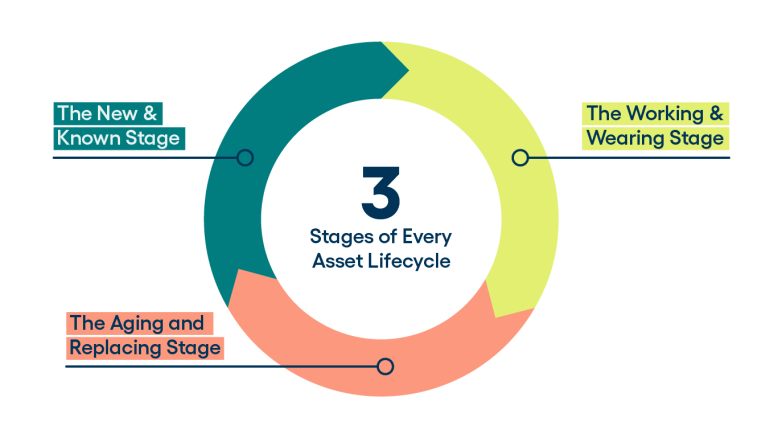
The strength of your CMMS should increase in every lifecycle stage — from when assets are “New & Known” through the eventual “Aging & Replacing” phase. Without a comprehensive asset register and proactive tracking, teams can’t differentiate between isolated incidents and emerging trends. Your CMMS then functions as nothing more than a work history, rather than a predictive tool. This issue is reinforced in the 2026 Asset Lifecycle Report, in which 90% of respondents believe their company’s asset management systems can improve productivity and efficiency, but nearly 25% say that “less than half” of their maintenance teams actively use it.
This lack of consistent usage and data entry means your CMMS lacks the necessary context to accurately identify the most frequent locations and root causes of issues, ultimately undermining its ability to improve productivity and efficiency.
Maintenance as a strategic asset
Between work orders, inspections, PM schedules, and deferred maintenance, facilities managers must balance backlogs to maximize productivity and avoid constant reactive repairs. If technicians don’t have accurate, up-to-date data, they may apply the same level of attention to every asset, even when some require more time than others.
A productive CMMS allows leaders to see which assets drive the most downtime, which PM tasks actually reduce failures, and where resources can be adjusted to improve outcomes.
A recent success story shows how Washoe County, NV, integrated software to streamline data reporting, saving 100 hours of manual work in the first four months. Leaders can now track KPIs by individual team members, fostering more accountability and recognition. Tying work orders to specific assets also helps to reinforce the true cost of ownership.
“It makes it so much easier for the facility superintendent to check in,” notes Aaron Smith, Operations Director of the Community Services Department of Washoe County. “The information is right there, easy to drill into, and technician-specific.”
Conclusion
You don’t need the most complex system to stay on top of your maintenance backlogs. You need a reliable CMMS that’s well-maintained, widely adopted, and aligned with how your team works. With the right tools in place, teams can prioritize critical tasks, catch failures before they become urgent, and turn your maintenance strategy into a model of efficiency.
For tips on how to strengthen your CMMS solution to optimize assets throughout their lifecycles, prioritize tasks for healthy backlogs, and build a proactive maintenance program for long-term sustainability, download our new “What If…” Guide to Ensuring Your Asset Maintenance Strategy is Effective at Every Lifecycle Stage.
